
Your audio files. One audiobook.
Turn audio files or a podcast season into a chaptered audiobook on your Mac. Arrange the chapters, add a cover and export to Apple Books, Yarnplayer or your own library.
Not yet released. Yarnripper will be free.
Build
Arrange your chapters.
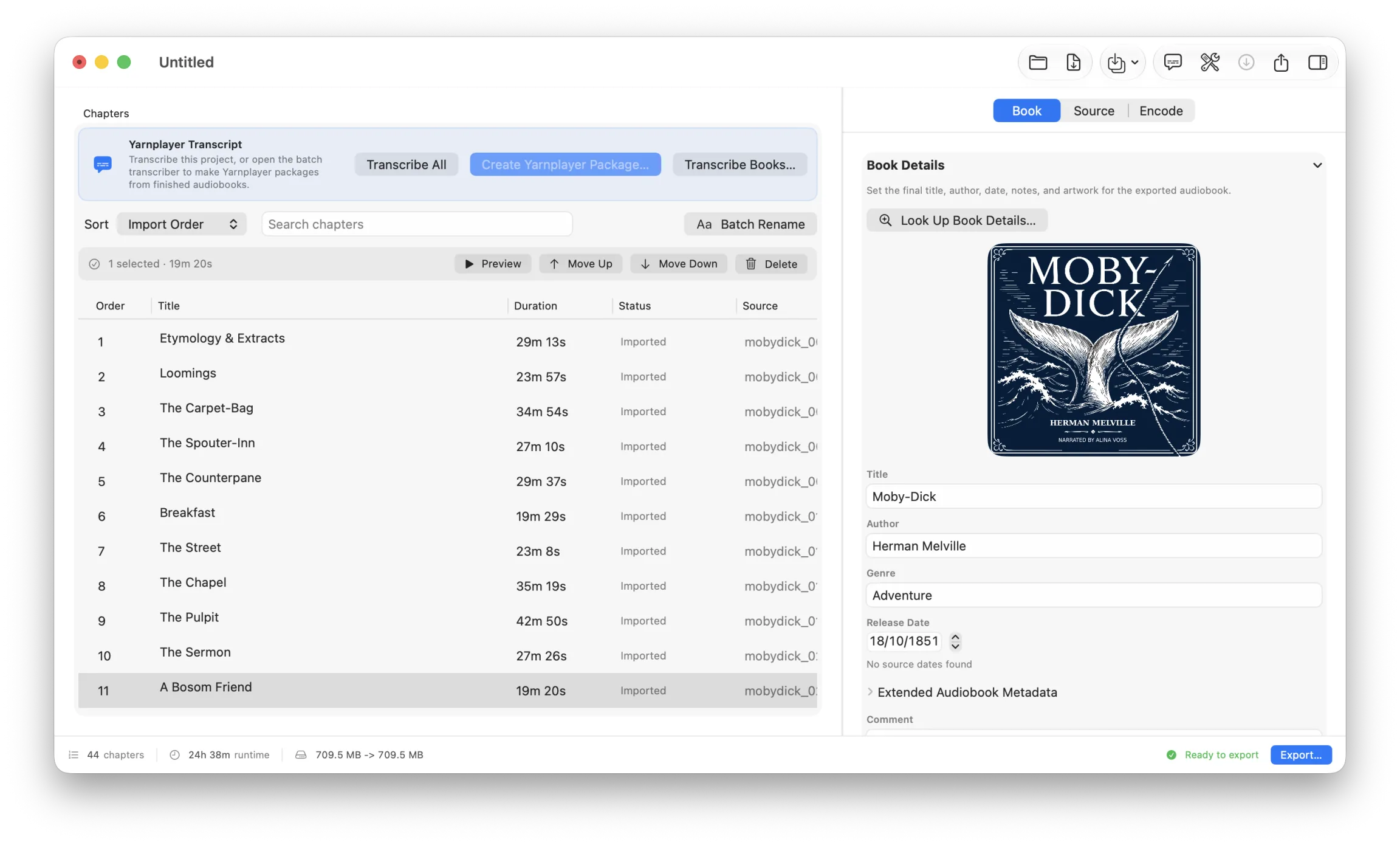
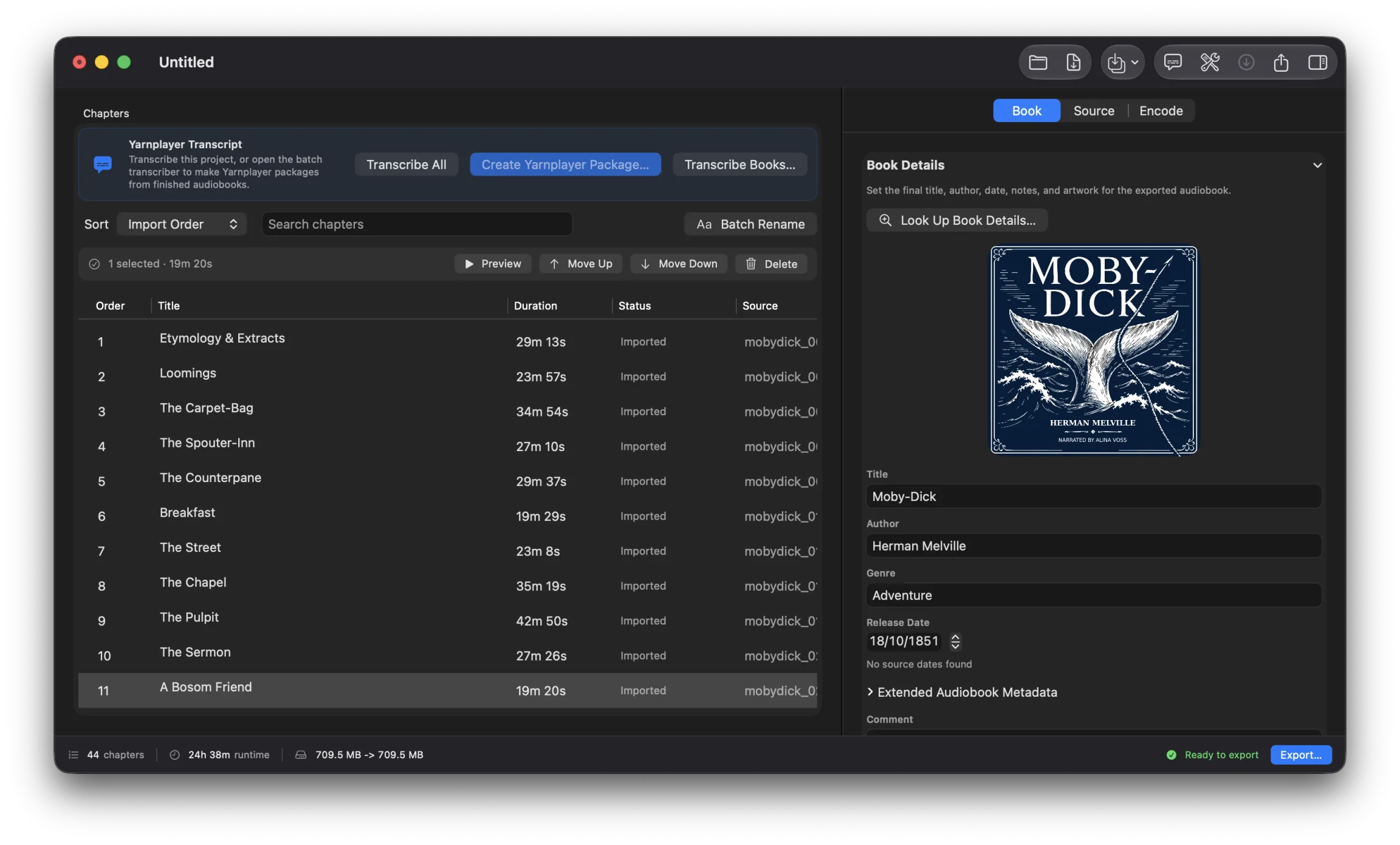
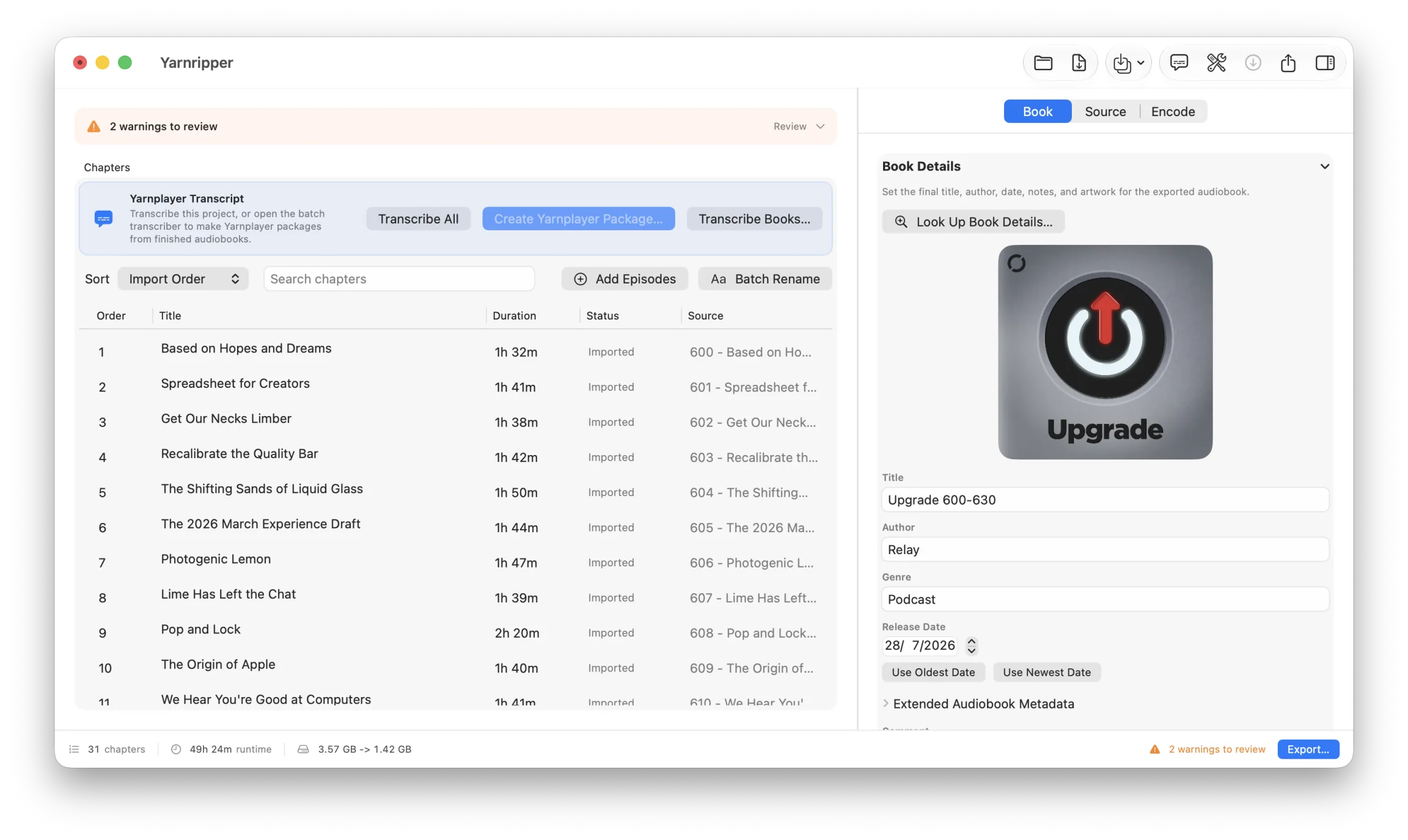
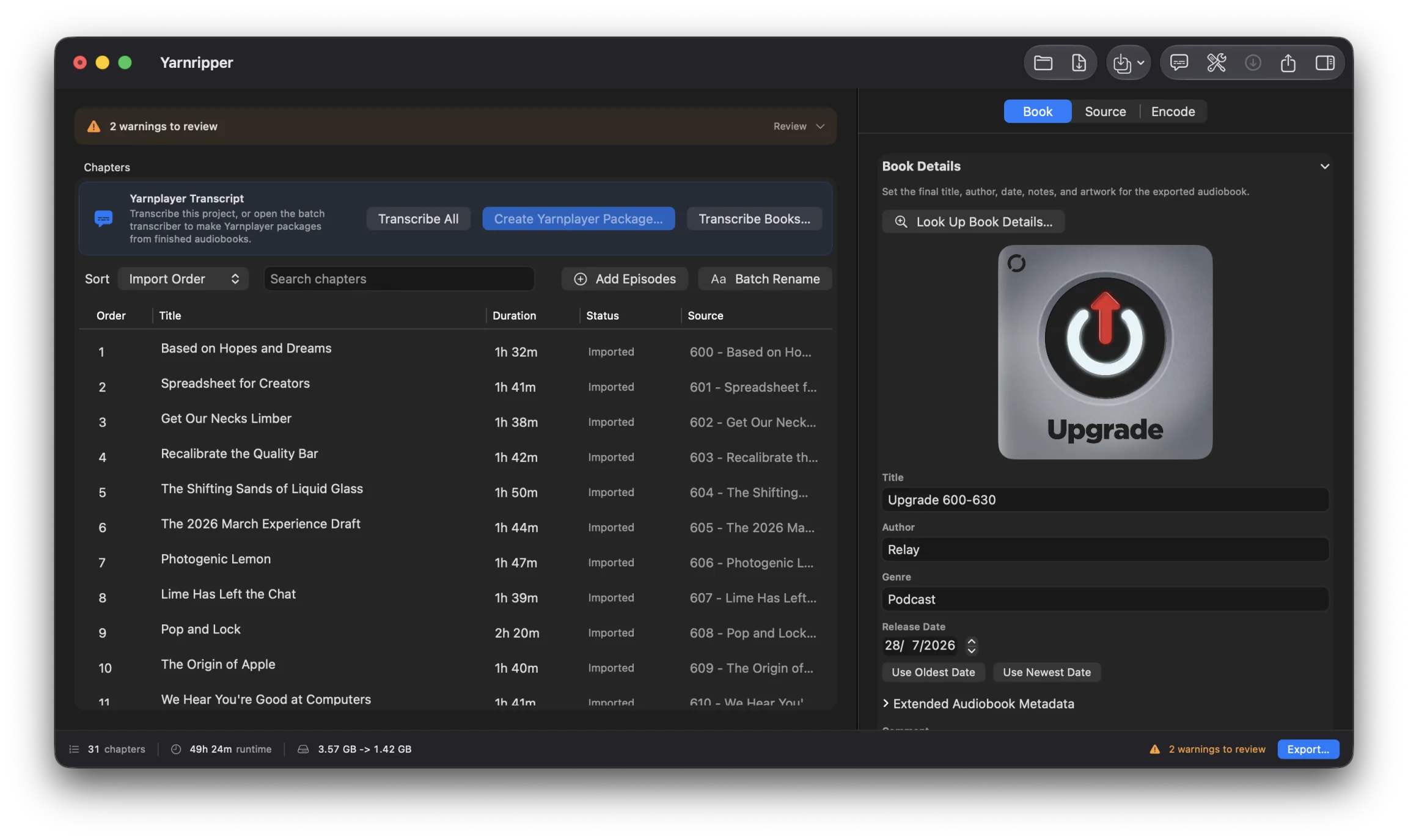
Drop in a folder of audio files. Each file becomes a chapter, with its existing title and metadata. Drag chapters into order or double-click to rename them.
Batch Rename cleans up repeated names, dates and episode numbers across a selection. Preview changes before applying them, and undo whenever you need to.
Set the title, author, genre, release date and cover, or let Yarnripper look them up for you. If you are making several books at once, Multi-Book Mode gives each one its own metadata, artwork and output settings.
Podcasts
Save a podcast season.
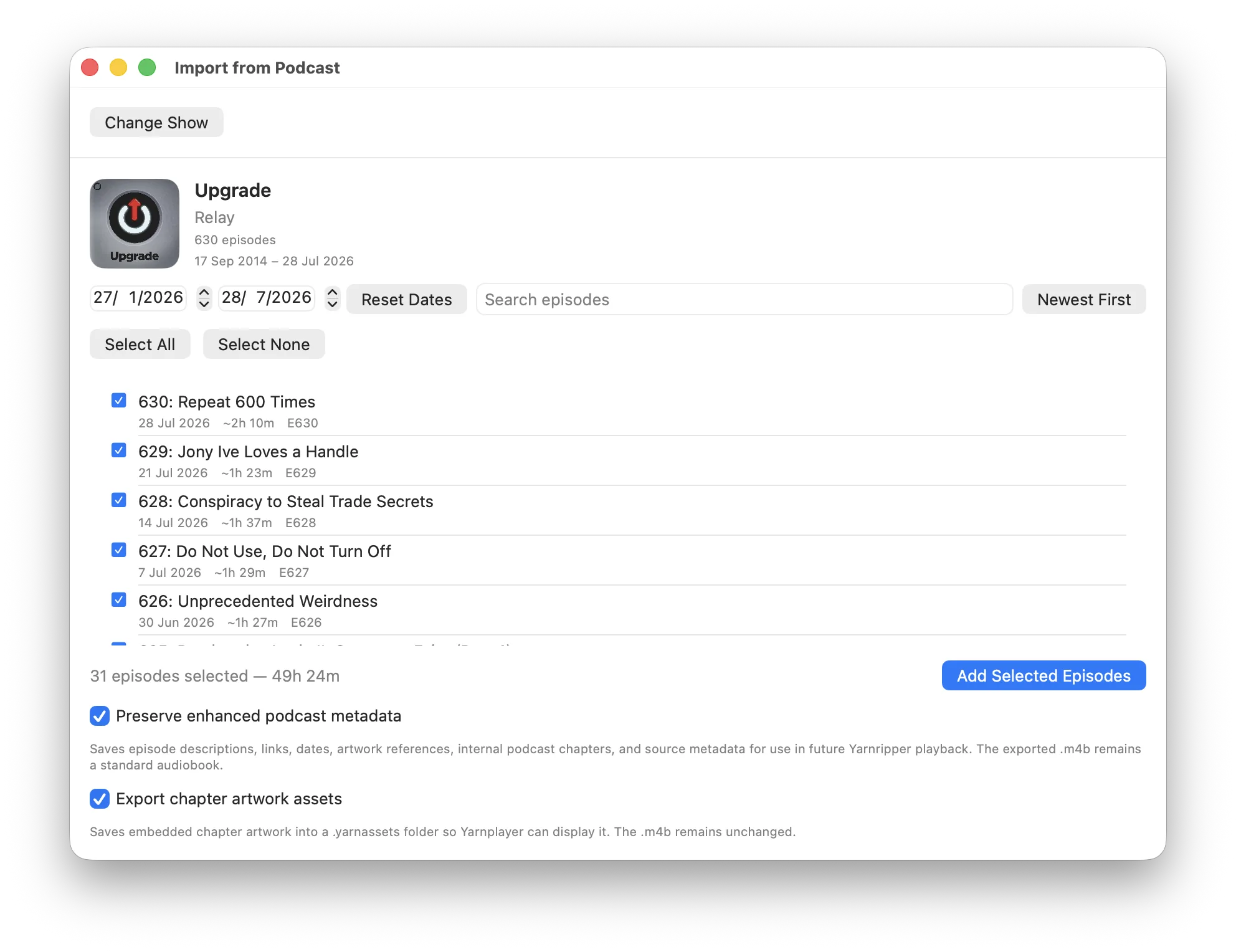
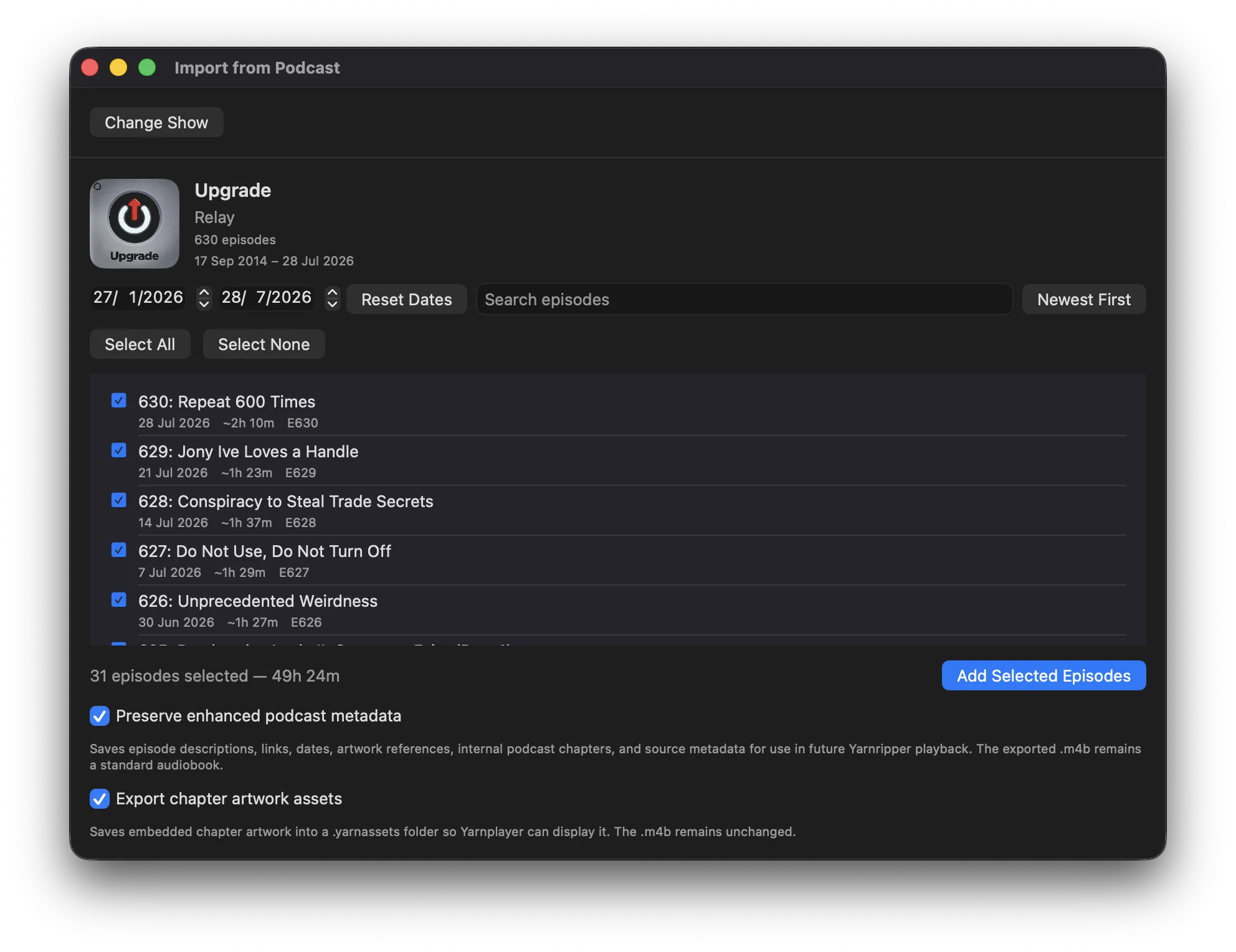
Search Apple Podcasts or paste a feed URL. Yarnripper loads the episodes, artwork and show details.
Filter by date, season or title and choose your episodes. You can arrange and rename chapters while the audio downloads.
Retry any failed downloads before exporting. Yarnripper waits for all selected episodes and uses the show artwork unless you choose another cover.
Keep a season as an audiobook even if the feed goes offline. For your own podcast, you can offer listeners a single download with a chapter for each episode.
Export
Ready for your audiobook player.
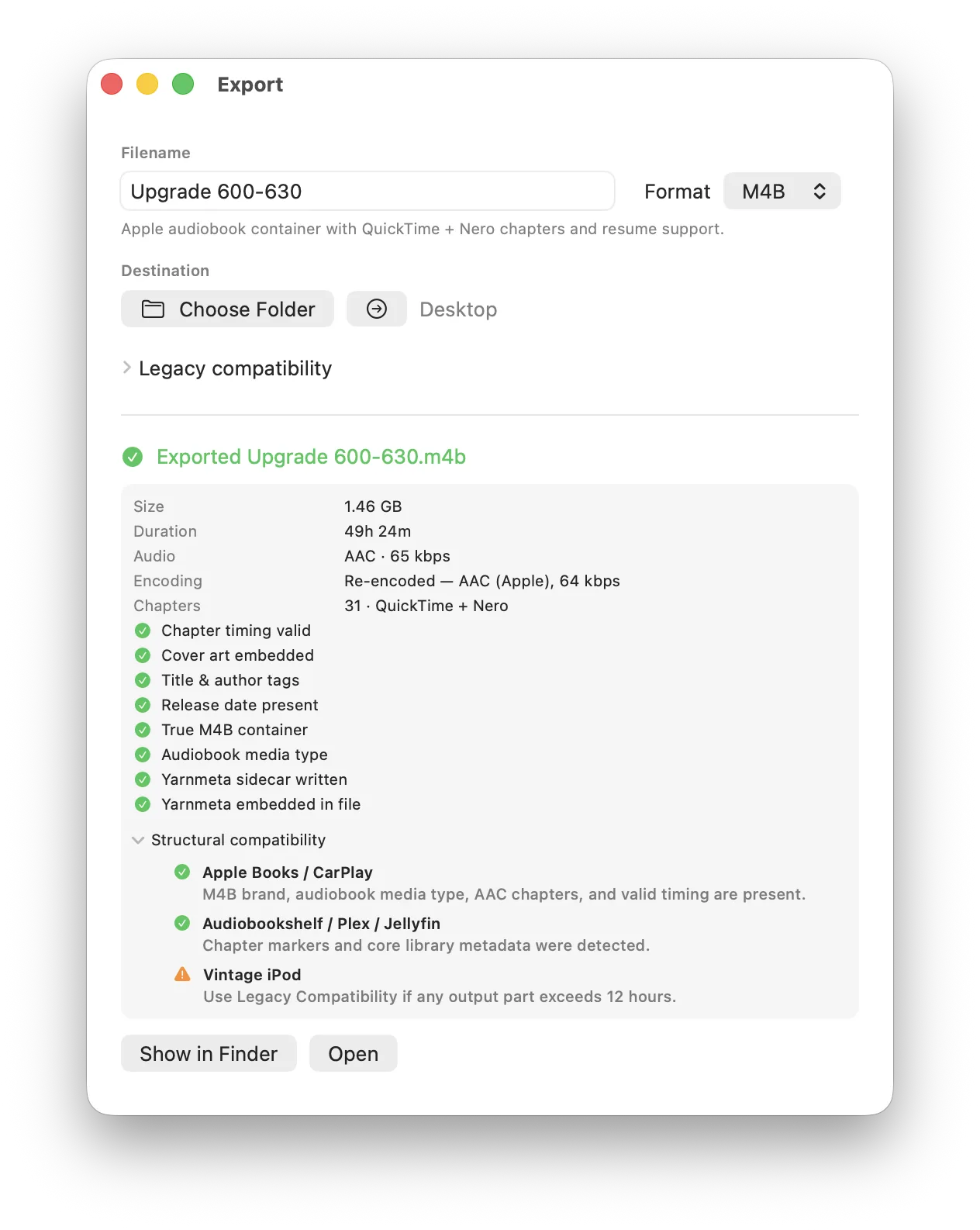
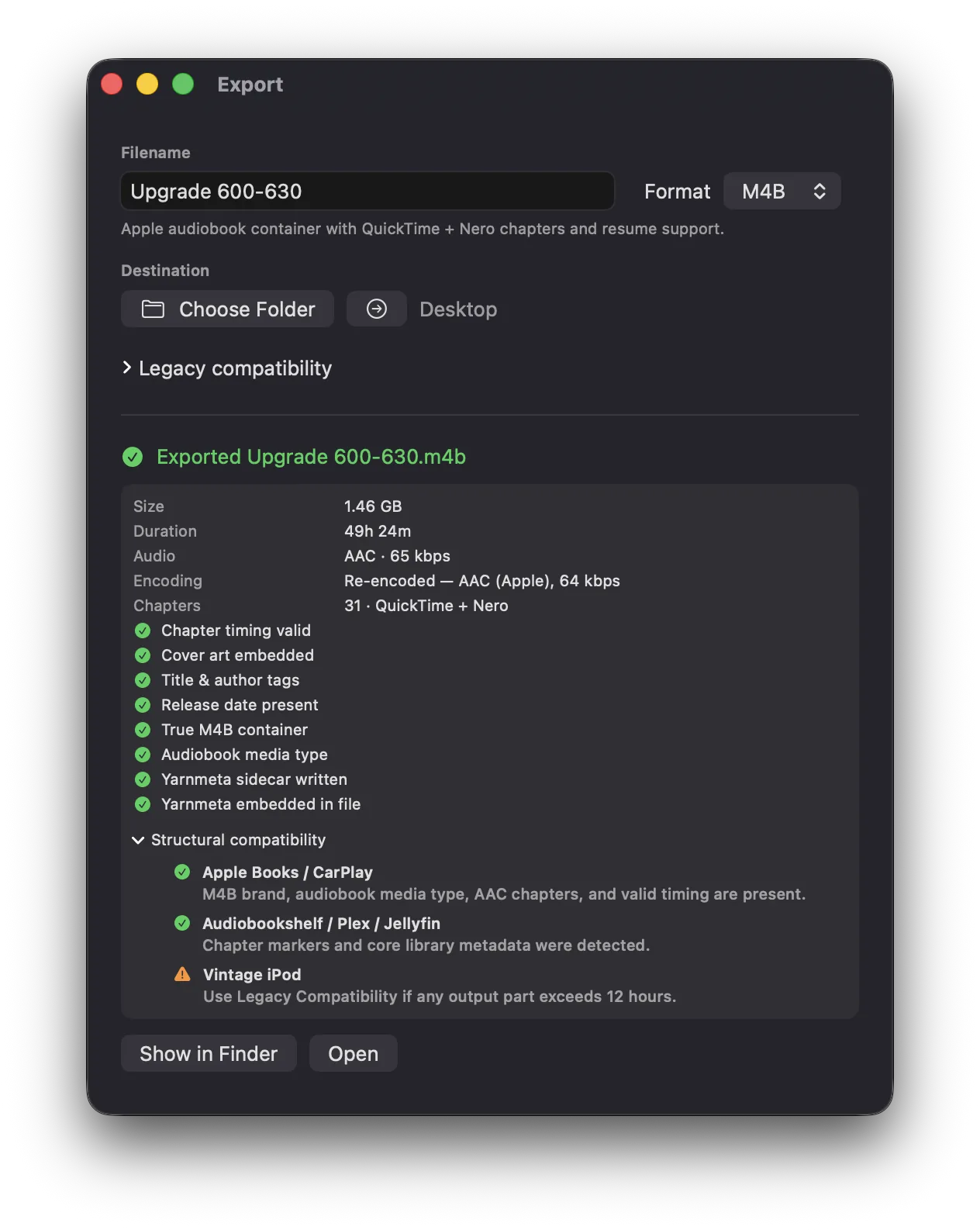
Yarnripper exports M4B audiobooks with chapters and cover art. Listen in Apple Books, CarPlay, Plex or Audiobookshelf, with chapter navigation and saved playback progress.
Long books can stay in one file, with accurate chapter timings.
Use Preserve Original to join compatible AAC files without re-encoding. For other files, choose Compact, Standard or High Quality, or adjust the settings with Custom.
The export report lists file size, duration, codec and chapter formats, and confirms whether the audio, cover and metadata were saved successfully.
You can also edit an existing M4B: change its details, chapter names or cover without re-encoding the audio.
Keep the show notes, too.
Yarnripper preserves episode titles, dates, show notes, links, chapters and artwork inside the audiobook, with a JSON sidecar as a fallback. Renaming chapters keeps their connection to the original episodes.
Yarnplayer reads the archive and recognises episodes you already have. Other players see an ordinary audiobook.
Transcripts
Make every word searchable.
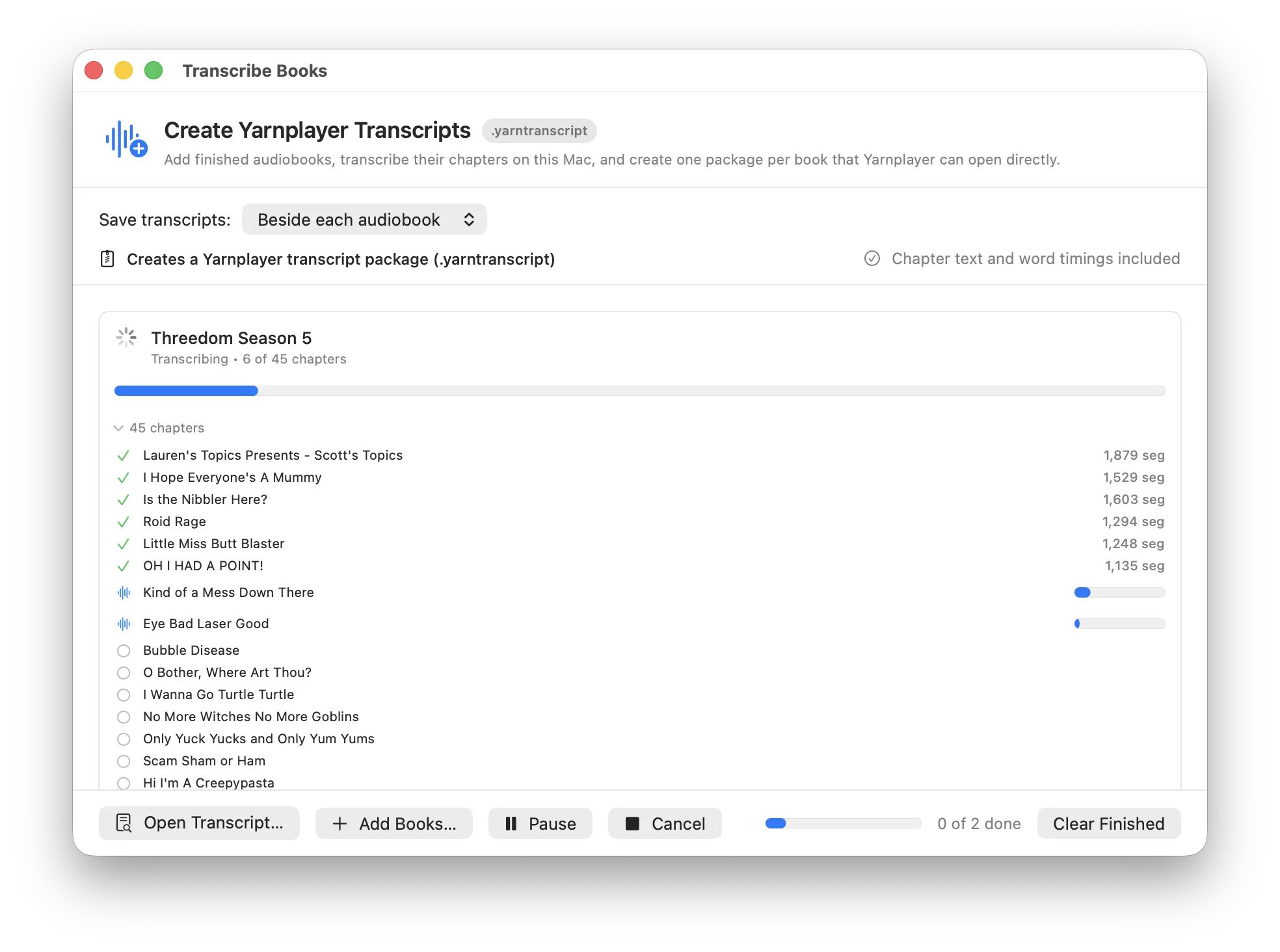
Create transcripts for your audiobooks, then search them in Yarnplayer and jump to matching audio.
Transcribe the current project or select several M4B and M4A files with Transcribe Books. Choose where to save the transcripts.
Transcription runs on your Mac using Apple's speech recogniser. Word timestamps link the text to the audio.
Save transcripts as compressed .yarntranscript files for import into Yarnplayer.
You can reopen a package later and export per-chapter SRT files and word timings.
More features.
Settings
- Recommends encoding settings from the files you imported and explains each choice
- Lets you override any recommendation, or leave the encoding settings alone
- Summarises file count, total duration, date range and variations in quality
Warnings
- Flags unsupported or unreadable audio, missing metadata and failed downloads
- Warns about odd ordering, duplicate or missing track numbers, very short files and resource forks
- Warns before export when the destination volume is low on space
- Non-destructive. The issue list stays open without changing anything while you decide what to relink, retry or ignore
Projects
.yarnfiles save the structure, titles, metadata, artwork and settings without copying your media- When a project reopens, Yarnripper checks that its media is still where you left it and identifies anything that moved
- Relink a folder, relink one item, drop it, or re-download podcast audio that has gone missing
- Unsaved-changes prompts before opening, resetting, closing or quitting
Downloads
- Shows how much managed storage is in use, with per-item progress and retry controls in the toolbar
- Clean Up Downloads can run manually or when a project closes
- Files used by the open project are never cleaned up
Accessibility
- Native keyboard and table navigation throughout
- Artwork and loading states labelled for VoiceOver, and export progress announced as a percentage
Release details.
Yarnripper is free. It ships with its own copies of the media tools it needs, so there is nothing to install alongside it.
By downloading or using Yarnripper or Yarntranscribe, you agree to the Terms of Use and acknowledge the Privacy Policy.
Yarnripper 1.0
Not yet released
The download and release notes will appear here when the first public build is ready.
- Requires
- macOS 14 or later. Transcription requires macOS 26 or later.
- Architecture
- Universal, Apple silicon and Intel
- Signing
- Developer ID, notarised by Apple
- Price
- Free
Yarntranscribe 1.0
Not yet released
Yarntranscribe is the standalone transcription app. You will not need a separate download if you have Yarnripper.
- Requires
- macOS 26 or later, for Apple's speech recogniser
- Makes
.yarntranscriptpackages for Yarnplayer, and per-chapter SRT- Reads
- M4B and M4A audiobooks, and transcript packages made by either app
- Price
- Free
About the bundled media tools
Yarnripper runs ffmpeg, ffprobe and the shared LAME encoder, and ships universal builds of all three inside the app, so there is nothing separate to install. They are built reproducibly from pinned source as LGPL-only components. GPL, GPLv3, nonfree and libfdk-aac options are excluded, and an automated audit rejects a build that contains them. The exact source is published beside each release. If you prefer to use your own copies, put them in ~/Library/Application Support/Yarnripper/Tools and they take precedence over the bundled ones.
Version history
-
1.0
Unreleased
- Build audiobooks. Import files or a folder, arrange and rename chapters in a native table, batch-edit titles, and split a project across several books with Multi-Book Mode.
- Export. Chaptered M4B carrying both QuickTime and Nero chapter structures, plus chaptered M4A and MP3. Accurate chapter marks at any length, with no forced splitting. Compact, Standard, High Quality, Preserve Original and Custom profiles, and a report on the finished file after every export.
- Edit without re-encoding. Open a finished M4B, fix its metadata, chapter names or cover, and save with the audio untouched.
- Podcast import. Apple Podcasts search or any RSS feed, with filtering, background downloads and retries.
- Enhanced archives. Show notes, internal episode chapters, links and per-chapter artwork embedded in the M4B, with a JSON sidecar as the fallback.
- Transcripts. Transcription of the project you are building or of finished M4B and M4A audiobooks, using Apple's macOS 26 speech recogniser, packed into
.yarntranscriptfiles around eight times smaller than the raw output. Packages can be reopened and expanded to SRT. - Yarntranscribe. The transcription side as its own app, downloadable separately and also included in Yarnripper.
- Bundled media tools. Audited, universal, LGPL-only builds of ffmpeg, ffprobe and LAME, with their source published alongside.
Later releases will be listed here, newest first. Questions about Yarnripper can go to support@yarnplayer.net.